BPL and IPL alexabet88 Community.
alexabet88 Desktop Site - Mobile Gaming Platform with Quick Login
alexabet88 is built mobile-first, optimized for Android phones and iOS browsers where the majority of our players engage with slots, live-dealer tables, and sports markets. However, users on desktops and large tablets can access the same platform through our responsive web interface, which adapts to monitor dimensions and keyboard input. The desktop site mirrors the core features—account login, deposits through DANA, e-wallet, mobile banking, local payment, online payment, e-wallet, or bank transfers, withdrawal requests, and full access to Liga 1, Piala AFF, and all gaming categories.
Open an account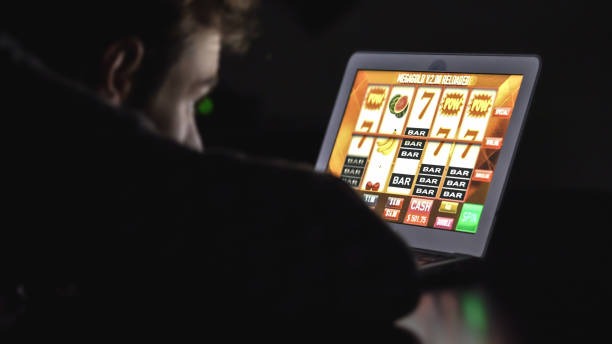
Desktop Site
- Platform
- Category
- Live Table / Card
- RTP
- medium
- high
This guide covers the desktop experience on alexabet88: how to access it, what features are available, how the interface scales to larger screens, and how account management works on desktop. We'll walk through the setup process from signup through KYC verification and first deposit, then explain how to navigate slots, live tables, sports betting, and esports using a desktop or laptop. The security approach remains the same—two-factor authentication, password reset, encrypted transactions—so you can manage your account safely regardless of device.
The alexabet88 desktop site interface
Our desktop site is a responsive web application—no installation required, just open your browser and navigate to alexabet88.bet. The interface automatically scales to your screen size. On a 24-inch monitor, you'll see the full width layout with sidebar navigation, expanded game previews, and larger odds displays. On a smaller laptop (13–15 inches), the layout compresses but remains functional. Everything from slot game thumbnails to live-dealer table listings remains accessible without excessive scrolling.
The desktop experience differs from mobile primarily in interaction—you use a keyboard and mouse instead of touch. Account login requires your username and password, followed by OTP verification via SMS (sent to the phone number registered on your account). Once authenticated, you can enable two-factor authentication for additional security. The account dashboard displays your balance, recent transactions, and access to all menu sections: Deposits, Withdrawals, Games, Sports, Esports, Account Settings, and Support.

Desktop layout advantages
A larger screen lets you view more information at once—tournament brackets, player statistics, and live game grids all visible without excessive scrolling. If you're following Liga 1 matches alongside playing Aviator or Sweet Bonanza, desktop makes it easier to manage multiple windows. The same applies to esports markets: you can monitor Mobile Legends or Free Fire match feeds while tracking your account balance in a separate sidebar.
Keyboard shortcuts and tabbed navigation improve efficiency for frequent players. Copy-paste functionality works on desktop, so sharing referral codes or noting account details is straightforward. Most importantly, the core security features—encrypted login, session timeouts, password reset options—function identically on desktop and mobile.

Desktop browsing on alexabet88 gives you screen real estate that mobile phones can't match—perfect for tracking tournaments, comparing odds, or playing slots without constant scrolling.
Accessing and using the desktop site
Getting started on desktop
Open any modern web browser (Chrome, Firefox, Safari, Edge) and navigate to alexabet88.bet. The site loads in seconds. If you're an existing user, click "Login" and enter your username and password. If you're new to alexabet88, click "Sign Up" to create an account. Fill in your email, desired username, and a strong password. Confirm your phone number for OTP verification—we'll send a one-time code to your registered mobile number. Once verified, you're prompted to complete Know Your Customer (KYC) verification: upload a government ID (KTP, passport) and proof of address. This process takes 24 hours, during which your account is active but cannot process deposits.
Deposits on desktop
After KYC approval, navigate to Deposits in the main menu. You'll see all supported payment methods: DANA, e-wallet, mobile banking, local payment, online payment, e-wallet, and direct bank transfers (mobile banking, local payment, online payment, e-wallet). Select your preferred method. For mobile wallets, the desktop site displays a QR code or account number you can scan from your phone or enter manually into your bank's app. For mobile banking, scan the QR code with any local payment-compatible app—the payment posts within seconds. For bank transfers, follow the on-screen instructions to initiate a transfer from your account to alexabet88's designated bank account. Once the funds clear (instantly for wallets, 1–2 business days for bank transfers), your balance updates on the desktop dashboard.
Games and sports on desktop
Once logged in and funded, the Games menu shows all available categories. Slots (Aviator, Sweet Bonanza, Gates of Olympus, Fortune Tiger, Mahjong Ways) are displayed as cards with game previews. Click any title to launch the game in a new tab or window. Live-dealer tables (blackjack, roulette, baccarat, Dragon Tiger) connect you to live-streamed games with real dealers. The Sports section includes football (Liga 1, Piala AFF, Champions League, Premier League), MotoGP, and badminton. Esports covers Mobile Legends, Free Fire, and PUBG Mobile. Each sport has its own layout: upcoming matches, game information, and completed fixtures all visible in a timeline view.
Withdrawals and account management
To withdraw your balance, go to Withdrawals and select your destination payment method. Enter the amount and confirm. Our system verifies your identity and account status, then initiates the transfer. Mobile wallet withdrawals (online payment, e-wallet) settle within hours; bank transfers take 1–2 business days. Check your Account History anytime to see deposits, withdrawals, game activity, and account changes. Password reset is available on the login page—we'll send a reset link to your registered email. All account changes (password, phone number, KYC status) are logged and can be reviewed in the security settings.
- Browser compatibility
- Works on Chrome 80+, Firefox 75+, Safari 13+, Edge 80+. Mobile browsers also work (Safari on iOS, Chrome on Android).
- Load time
- Initial page load takes 2–3 seconds on standard broadband. Games and live tables load in 1–2 seconds.
- Session timeout
- Inactive sessions expire after subject to verification for security. You'll be logged out automatically and must re-authenticate.
- Cookies and cache
- Clearing your browser cache may log you out. Keep cookies enabled for seamless session management.
Tips for desktop users on alexabet88
Keyboard shortcuts and navigation
Most alexabet88 features are accessible via mouse clicks, but keyboard navigation works too. Tab through menu items, press Enter to select, and Escape to close dialogs. If you're logging in repeatedly, consider using your browser's password manager (built into Chrome, Firefox, and Safari) to securely store your credentials. Never allow public computers to save your password.
Multiple windows and tabs
On desktop, you can open alexabet88 in multiple tabs—one for account management, another for slots, another for live tables. This is especially useful during tournaments like Piala Indonesia when match feeds, odds, and account data need simultaneous viewing. Each tab maintains its own session, so logging out in one tab won't affect others.
Screen brightness and long sessions
If you're playing for extended periods, adjust your monitor's e-walletghtness to reduce eye strain. Set a reminder to take breaks every hour. The alexabet88 interface uses a light theme by default; if you'd prefer darker colors, check your browser's dark-mode setting or use built-in accessibility options.
Desktop advantages
- Larger screen for viewing multiple markets simultaneously
- Faster keyboard input for account management and withdrawals
- Easier to manage multiple tabs and windows for gaming and tracking
- More comfortable for long gaming sessions
Considerations
- Requires a computer or large tablet with internet connection
- Not portable; less convenient than mobile for quick gaming on the go
- Public WiFi carries security risks; use VPN or trusted networks
Security best practices on desktop
Keep your browser and operating system updated to patch security vulnerabilities. Use a unique, strong password for your alexabet88 account—never reuse passwords from other sites. Enable two-factor authentication in Account Settings so even if someone obtains your password, they can't access your account without the OTP. If you use a shared computer, always log out when finished. Don't check "Remember me" on shared devices. Be cautious of phishing emails claiming to be from alexabet88; legitimate emails only come from [email protected] or similar official addresses.
The alexabet88 desktop site provides the full gaming and account experience—deposits through mobile banking, local payment, online payment, or bank transfer; withdrawal to any supported payment method; access to all games, live tables, and sports markets. Whether you're in Bandung, Medan, or anywhere else where alexabet88 services are available under local law, the desktop interface offers a stable, secure way to manage your account and engage with the platform. Log in from your computer whenever a larger screen suits your needs.